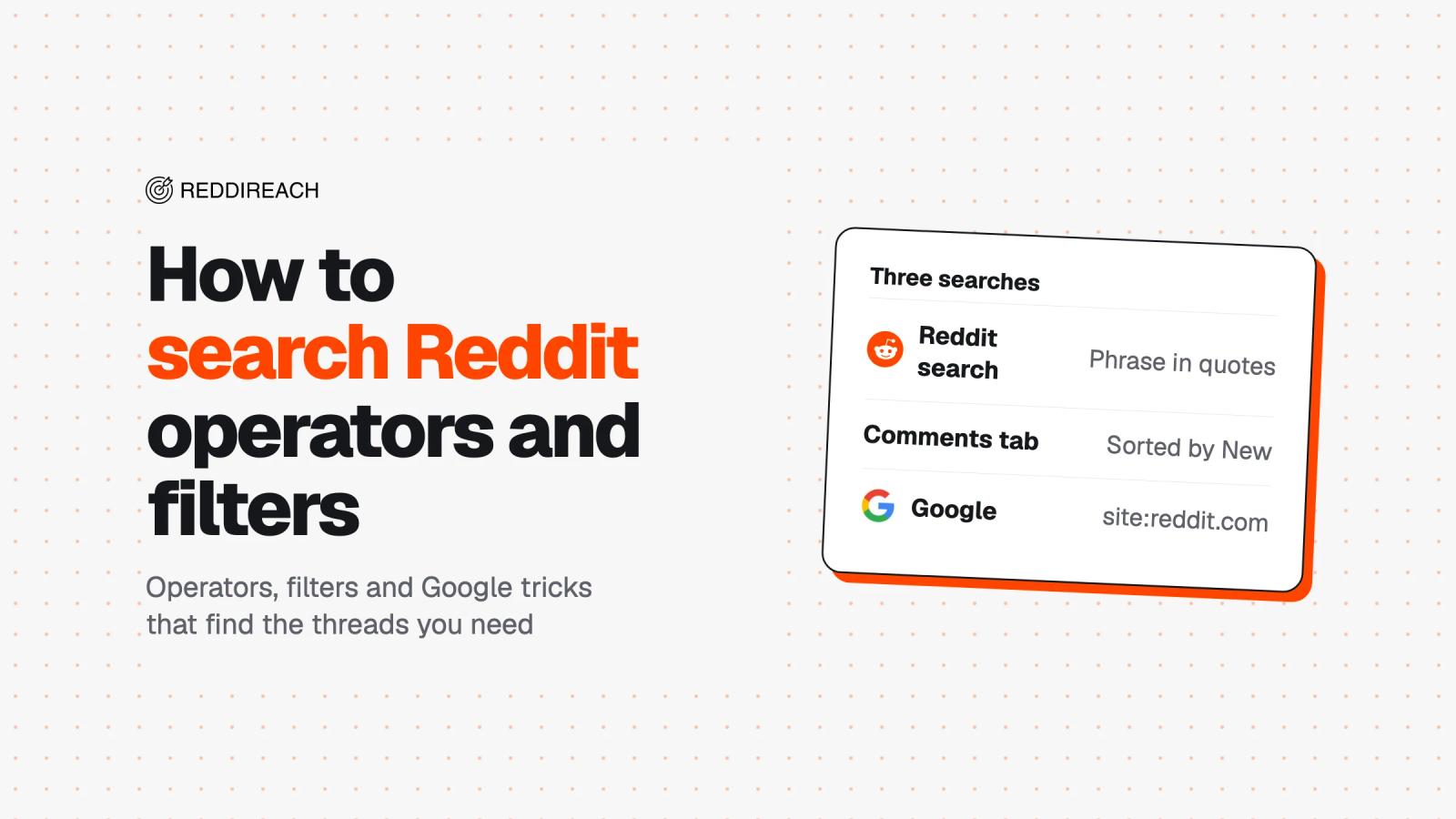
To search Reddit well, run three searches: a phrase in quotes inside one community, the same words on the Comments tab sorted by New, and site:reddit.com plus your words on Google. Those three find most threads, and Reddit's operators (author:, title:, subreddit:, capital-letter NOT) and Google's before: and after: narrow the rest.
Pick the result type first, then tighten the words, because a query that works for posts can come back empty on comments. Reddit's default Relevance sort weighs word rarity, age, votes, and comment activity, which is why a plain search often feels random.
How Reddit search works
Reddit search can return Posts, Communities, Comments, Media, and People, though the results screen labels the last tab Profiles. Inside a community, People isn't available.
Posts can match only some of the words you enter, while comments and profiles need every one. As you type, Reddit also suggests communities and profiles. To get full results instead of a suggested community or profile, select “Search for” followed by your words.
The same search bar includes Ask, Reddit's AI search. Pressing Enter still opens normal search results, while Ask produces an AI-generated response with links to the posts and comments behind it. Read Reddit Answers if you need the fuller picture of how that feature works and what it leaves out.
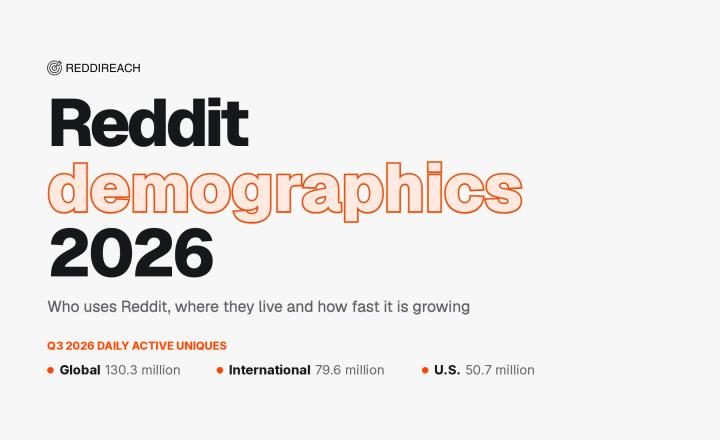
Before you dig, it helps to know how much discussion there is to search, and Reddit statistics has the audience figures.
How to search Reddit, step by step
Search inside one subreddit
Search from a community page when you already know where the discussion belongs. Reddit scopes the search box to that community, and searching from a post page also stays inside that post's community.
You can also search a community from anywhere with subreddit:name. For example:
subreddit:marketing crm
That's handy when you want to compare several communities without opening each one first.
Flair narrows a search further. In Reddit's apps, tapping a flair tag opens posts with that flair. You can also combine flair with a community query:
subreddit:marketing flair:Question crm
Use flair when a community applies consistent labels. If it doesn't, a phrase search will usually be more reliable.
Search comments, not just posts
Use the Comments tab when the useful answer is likely to sit in a reply. You get Relevance, Top, and New, but no time filter.
Comments must contain every word in your query, so keep the search short. A query such as implementation pricing is more likely to surface useful replies than a long question with several common words.
For one long thread, Reddit provides comment search inside the post itself. In the apps, use the search icon while viewing the post. On desktop, use the search box near the comments section.
For current opinions or changing product details, sort comments by New. For a durable explanation, try Top first.
Sort and filter by date
Use a post sort that matches your job, then apply a time window when Reddit makes one available. Each sorting option suits a different job:
- Relevance is the default and the only sort that weighs how rare your words are.
- Hot favors posts receiving activity now.
- Top surfaces posts with high vote and comment totals.
- New puts the newest posts first, regardless of votes.
- Comment count favors posts with the most discussion.
The time menu offers All time, Past year, Past month, Past week, Past 24 hours, and Past hour. It appears with Relevance, Top, and Comment count. It disappears under New and Hot. New already lists the newest posts first, so when recency matters, use New and check the dates as you scroll.
Under the other sorts, a common word can dominate the result list. Tighten a loose query with quotes or AND before you switch sorting modes.
Reddit doesn't offer a custom date range, so use Google's before: and after: operators for that job.
Use Reddit search operators
Reddit's search features support field operators and Boolean logic.
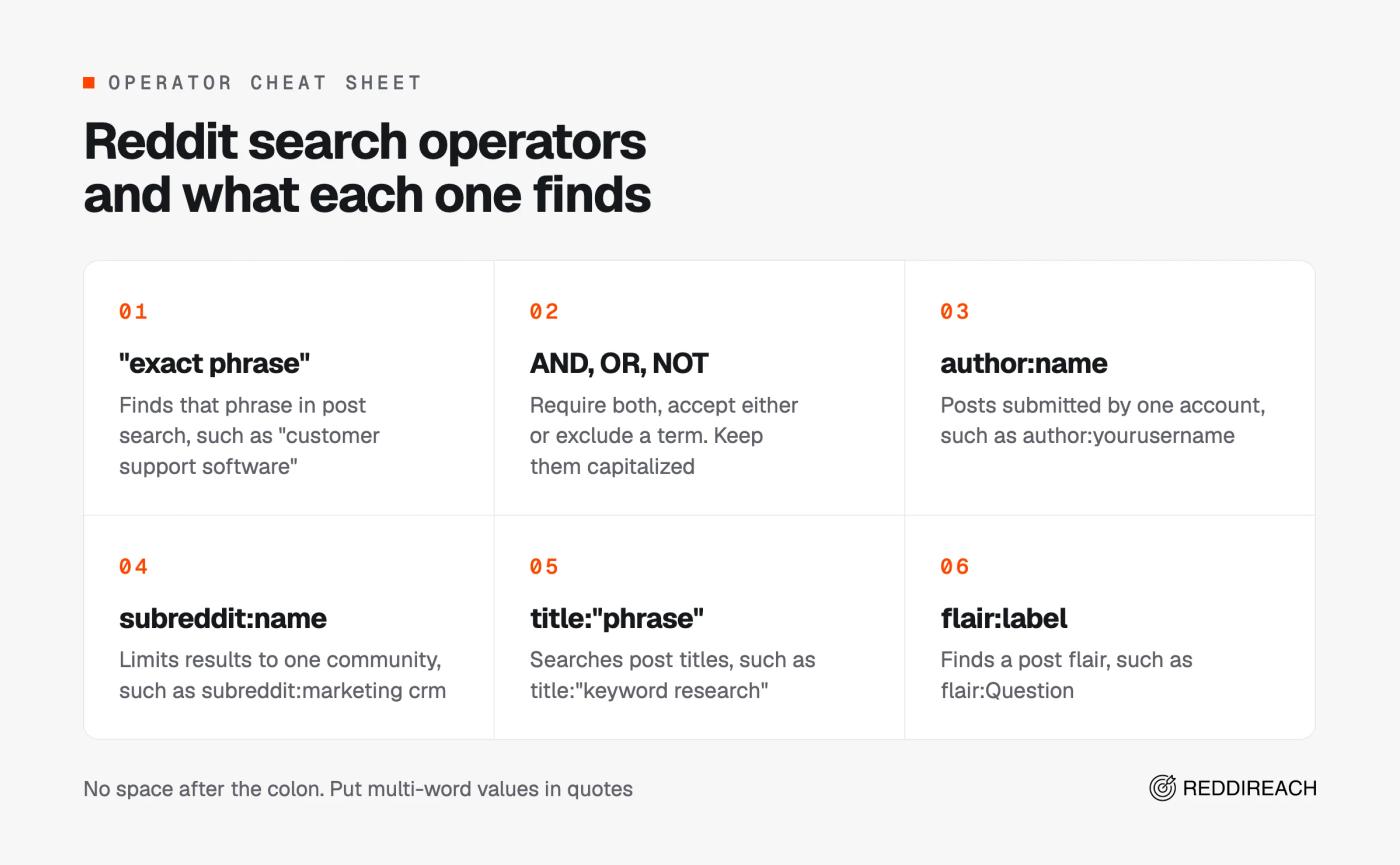
"exact phrase"finds that phrase in post search, such as"customer support software".ANDrequires both terms, such aspipedrive AND hubspot.ORaccepts either term, such aspipedrive OR hubspot.NOTexcludes a term, such ashubspot NOT pipedrive.- Parentheses group a Boolean query, such as
crm NOT (hubspot OR salesforce). author:namefinds posts submitted by one account, such asauthor:yourusername.subreddit:namelimits results to one community, such assubreddit:marketing crm.title:"phrase"searches post titles, such astitle:"keyword research".selftext:wordsearches the body of text posts, such asselftext:hubspot.self:truereturns text posts, whileself:falsereturns other post types.site:domain.comfinds posts that link to a domain, such assite:youtube.com.url:wordfinds a word in the linked URL, such asurl:github.flair:labelfinds a post flair, such asflair:Question.
Don't put a space after the colon. Write author:name, never author: name. Put multi-word field values in quotes, as in title:"keyword research", and keep Boolean words capitalized. Lowercase not is treated as a normal word.
You can stack fields: crm subreddit:marketing flair:Question narrows the pool fast. Check the first few results anyway, because author: combined with subreddit: can still let a post from another community through. NOT reliably removes one word, but several exclusions can also leak a few matches. A minus sign can exclude a word too, but NOT is Reddit's documented method.
Search Reddit through Google
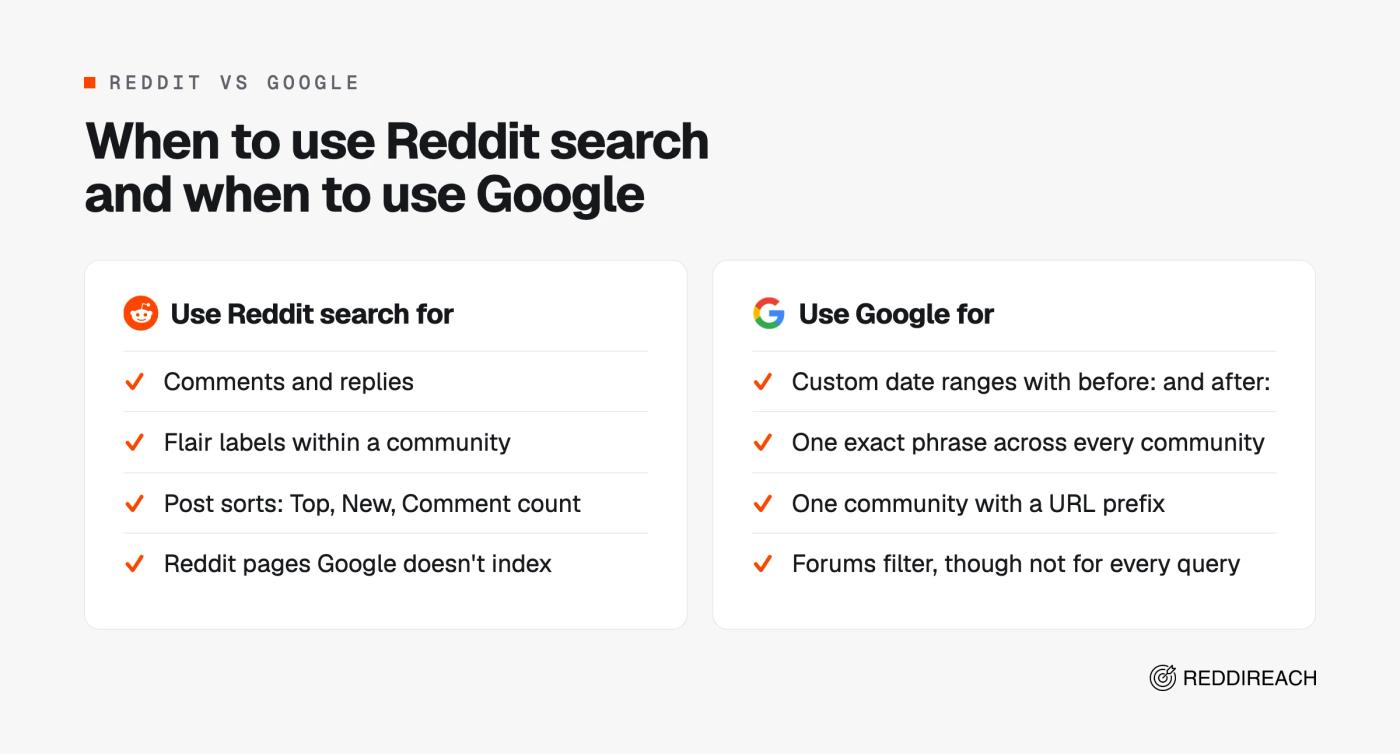
Use Google when you need a custom date range or want to run one exact phrase across every community at once. Start with:
site:reddit.com "project management software"
To limit results to one community, use a URL prefix:
site:reddit.com/r/SaaS "project management software"
Google's site: operator can focus a search on a site or domain. Add quotes for exact wording and a minus sign to remove an unwanted term. Keep the operator joined to its value, with no space after the colon.
Google's before: and after: operators can make a useful date range:
site:reddit.com "[product] vs" after:2025-11-01 before:2026-11-01
Google describes those as page last-updated dates. A busy older thread can therefore appear in a recent range if Google sees it as recently updated. For the most recent threads, drop before: and keep only after:.
Google also has a Forums filter, but it covers discussion sites beyond Reddit and doesn't appear for every query. Google doesn't index every Reddit page, so run the same words in Reddit's own search before you give up. Use Google for wording and dates across the platform. Use Reddit for comments, flair, and post sorts.
If you want your brand inside the threads that rank for your buyers' searches, Reddit SEO shows how to target them.
Find the threads buyers read before they choose
Buyers compare options out loud on Reddit, so search for the words they use when they do: “alternative,” “vs,” “pricing,” and “recommendations.” Start with a few focused queries, then read both the post and its comments.
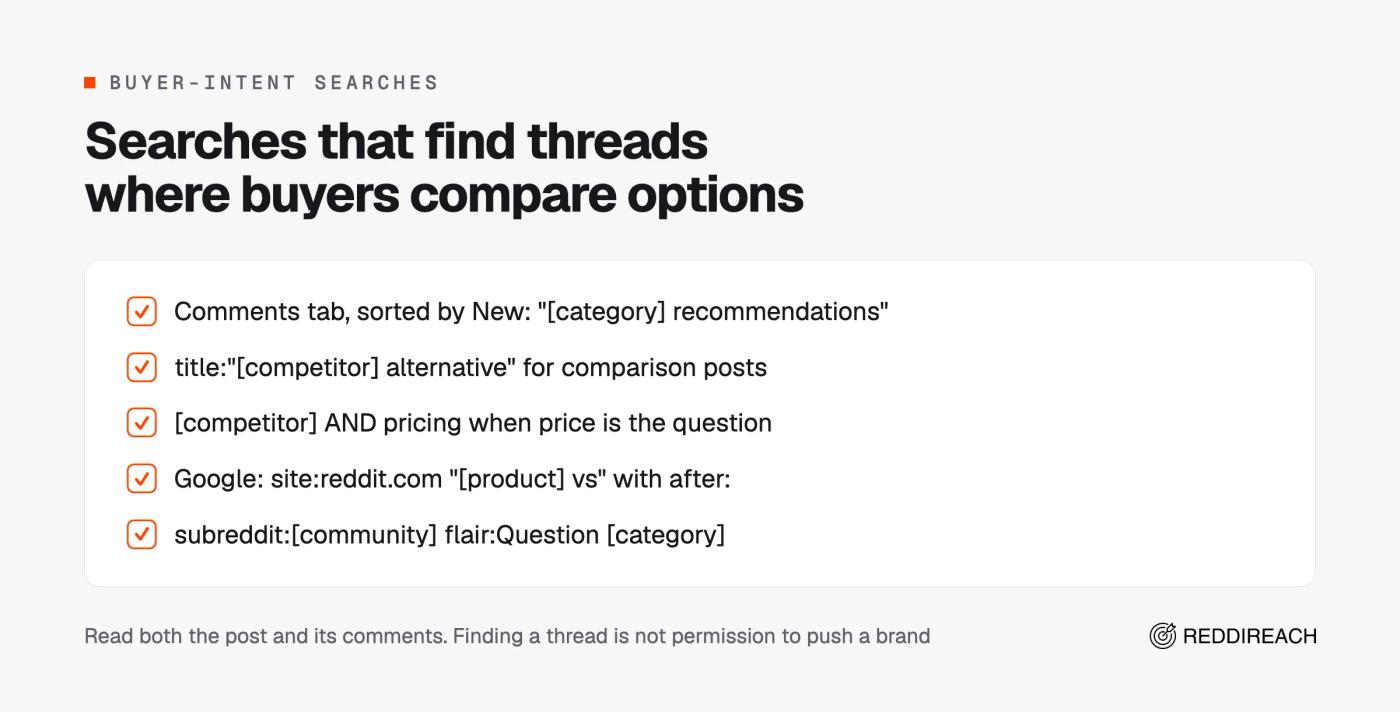
- Search
"[category] recommendations"on the Comments tab and sort by New. - Search
title:"[competitor] alternative"to find comparison posts. - Search
[competitor] AND pricingwhen price is the question. - Search
site:reddit.com "[product] vs"with anafter:date on Google. - Search
subreddit:[community] flair:Question [category]where a community uses question flair.
Comments are especially useful for advice and recommendation-heavy questions, but finding a thread doesn't give you permission to push a brand into it. Reddit's rules tell you to participate authentically in communities where you have a personal interest, not to spam or engage in content manipulation, and not to intentionally mislead others or impersonate an individual or entity in a deceptive manner. Reddit lead generation explains how to qualify a relevant thread and decide whether an answer is appropriate.
ReddiReach maps high-intent threads and subreddits where buyers ask for recommendations, then scores each thread for buyer fit, post type, community mood, and competitor mentions. If you'd rather hand that research off, it's part of ReddiReach's Reddit marketing service.
When search isn't enough: alerts and tracking
Manual search is enough for a one-off question. If you run the same searches every week, you need alerts and tracking instead.
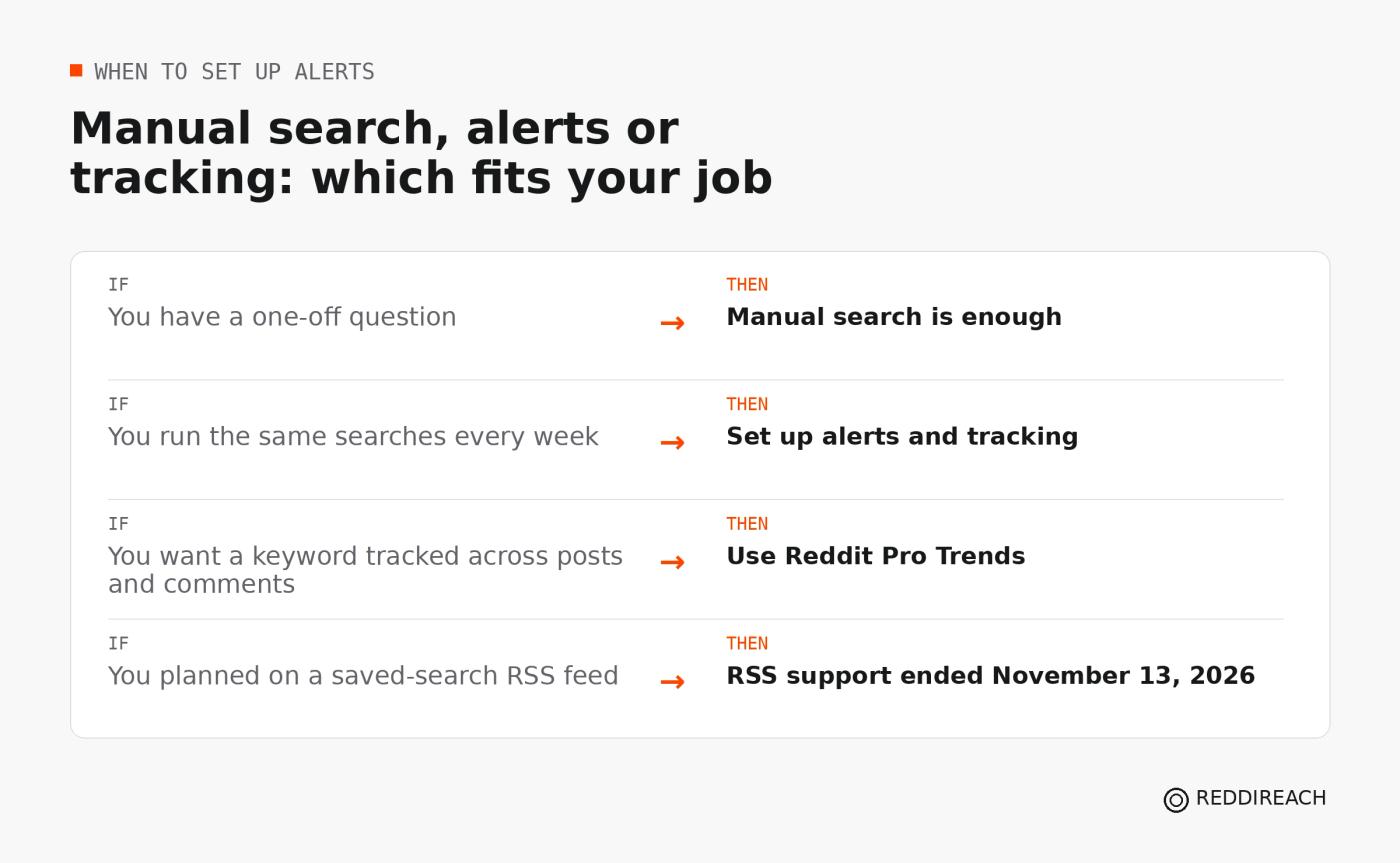
Reddit Pro can surface relevant communities, trending topics, and conversations. Reddit stopped supporting RSS feeds on November 13, 2026. It gives no replacement for feeds outside communities you moderate, so don't plan alerts around a saved-search RSS feed.
To turn a phrase you search every week into an alert that brings new threads to you, follow the steps in Reddit keyword alerts. If your team needs recurring thread research rather than occasional searches, you can also book a free call.
How we checked this
Checked November 16, 2026. Today I rechecked Reddit Help Center articles on search, sorting, filters, AI search, and the RSS retirement; Reddit's desktop search interface; Google Search Help; Reddit Pro guidance; and Reddit's rules. No Reddit posts or comments were used as sources.
Frequently asked questions
How do I search my posts on Reddit?
Open your profile and search from there. Reddit scopes the search bar to that profile, so you can enter a word or phrase from one of your posts. You can also search from anywhere with author:yourusername, with no space after the colon.
Why is Reddit search so bad?
Reddit search feels weak because posts only need to match some of your words, so a broad query pulls in loosely related threads. Relevance also weighs rare words, age, votes, and comments. Switching to New, Top, or Comment count can make a broad query worse because only Relevance down-weights common words. Use quotes or AND, narrow the search to a community, and switch to Comments when replies hold the information you need.
How do I search Reddit comments?
Search for your terms, then open the Comments tab and choose Relevance, Top, or New. Keep the query to two or three distinctive words because every word must appear in a comment. To search comments inside one specific post, use the post's comment-search control in the app or on signed-in desktop.
How do I search for a specific user's posts?
Type author:username into Reddit search. Add subreddit:name to limit the results to one community, or open the user's profile and search from there. When you combine filters, look over the first results since a stacked search can include an occasional mismatch. If someone hides a community's posts from their profile with Reddit's profile curation setting, those posts still appear in search results, so an author search can surface more than the visible profile page.